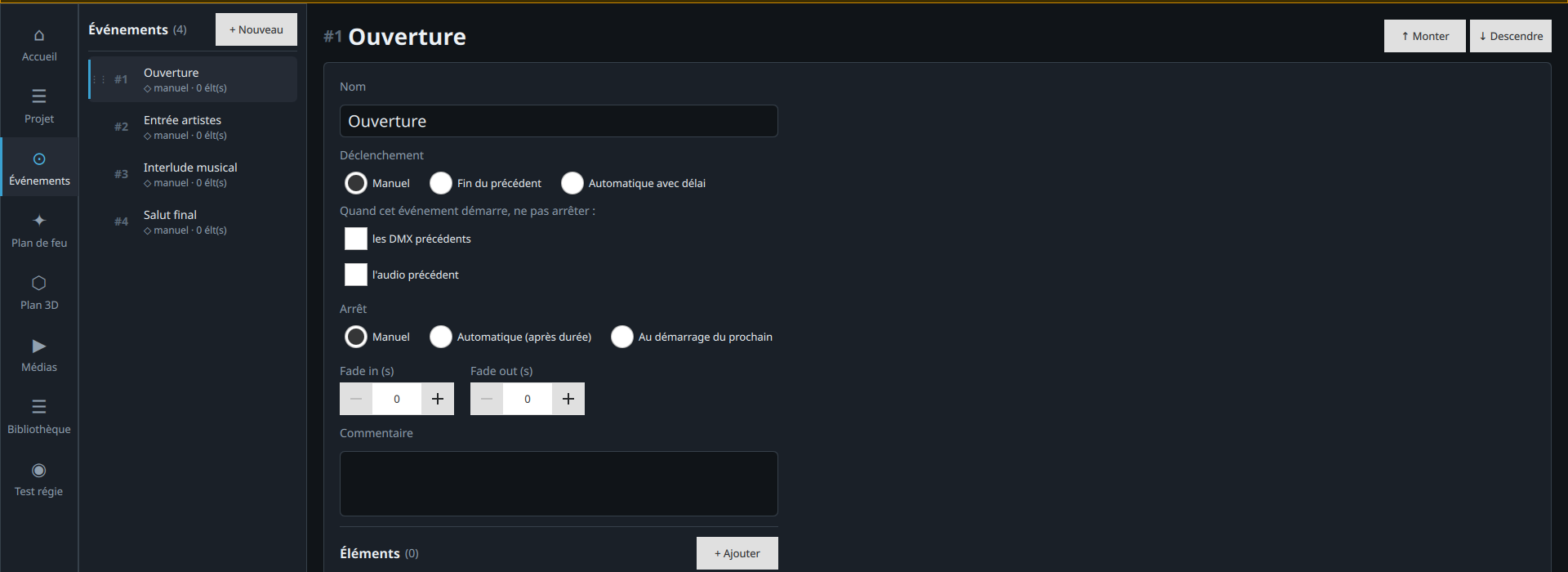
Sequence editor
Program your lighting effects scene by scene. Set the DMX values of every channel with precision, with real-time feedback.
Professional DMX control software for lighting technicians. Sequence, trigger, and sync your effects from any device on your network.
A complete toolkit built for live-event professionals
Program your lighting effects scene by scene. Set the DMX values of every channel with precision, with real-time feedback.
Built-in WebSocket server. Run your lighting from a PC, tablet, or smartphone — no extra cabling needed.
Bring audio and video files into your sequences. Trigger music, video, and lighting together from a single interface.
Manage all your DMX fixtures in one central library. Reuse your configurations from one project to the next.
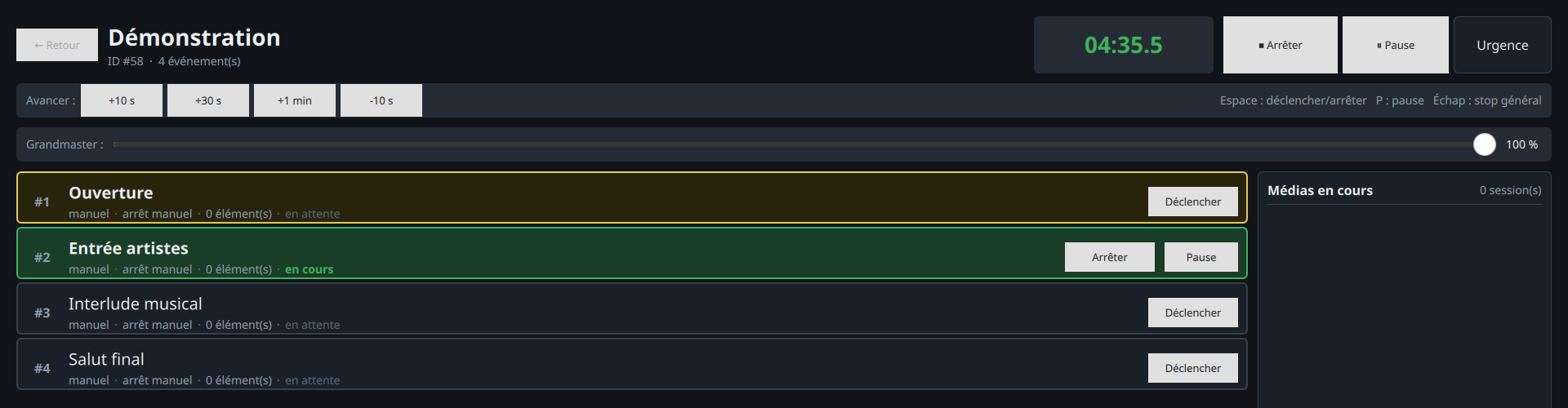
A fast triggering interface built for live use. Fire your sequences in one click, from the show desk or from the stage.
dmx++ checks for new versions and notifies you. Guided download and install, without interrupting your work.
Each app is built for one specific role in your workflow
The entry point of dmx++. Starts the server, manages your license, and launches every app from a single dashboard.
The full programming environment. Build your DMX sequences, organize your events, and bring in your media.
A streamlined triggering interface for live use. Simple, fast, distraction-free — built for the show desk or the stage.
Manage your fixtures and DMX addresses. Organize your gear by type, manufacturer, or project and find it instantly.
Included with the desktop license. From your phone, pick a show and start it with one tap — built for simple or fully automatic shows that don't need detailed supervision.
A genuine wireless remote show desk: edit and run your sequences event by event, with pause, blackout, grandmaster, and media volume — from anywhere on the floor.
Model your fixture plot in three dimensions and place your gear in the stage space. Then simulate the live show in the 3D view to preview your effects before you're even on site.
A single purchase for lasting, professional use — online backup remains optional
Preferential pricing is available for associations and independent companies.
Contact usAdd freely to your license, depending on your production's needs
Included with the desktop client license. From a phone, pick a show and start it with one gesture — ideal for simple or fully automatic shows.
A wireless remote show desk. Edit and run your events one by one, control pause, blackout, grandmaster, and media volume from anywhere on the floor.
Design your fixture plot in 3D and place your gear in the stage space. Then simulate the live show in the 3D view to preview your effects before load-in.
Hosted on dmx++ servers, available from the desktop application and the tablet
Store the lighting plot of the venues you play on our server and browse the public list shared by other users. On tour in a venue someone has already added? Its rig is ready. For license holders only, from the desktop application or the tablet.
Your complete database — shows, events, fixture library — and your lighting plots are backed up on our server, linked to your license. After a crash, theft or a computer change, you get everything back in minutes.
Free for 30 days — a license is required to keep using it beyond the trial period
64-bit AppImage
Ubuntu 24.04+ · Debian 12+ (and derivatives: Linux Mint, Pop!_OS…)
Fedora, Arch and other distributions are not supported
chmod +x dmx++*.AppImage in a terminal).macOS 12 Monterey and later
Already have a license? Enter your key in the Launcher to activate dmx++.